The document
HS Renewables: your list, working. The same as the screens, in seven pages, to keep or pass on.
HS Renewables: your list, working.
On 24 August you sent us a list of 17 things. Every one of them is a screen that works. This is the same thing on paper.
- 2Your list
- 3One job, start to finish
- 4Stock in the warehouse and in the vans
- 5What the job made, and who sees what
- 6No back doors
- 7A business that bought one, and the next step
Built by OpsMavix · November 2026
The numbers in these pages are sample data. Not connected to your Xero.
Your list
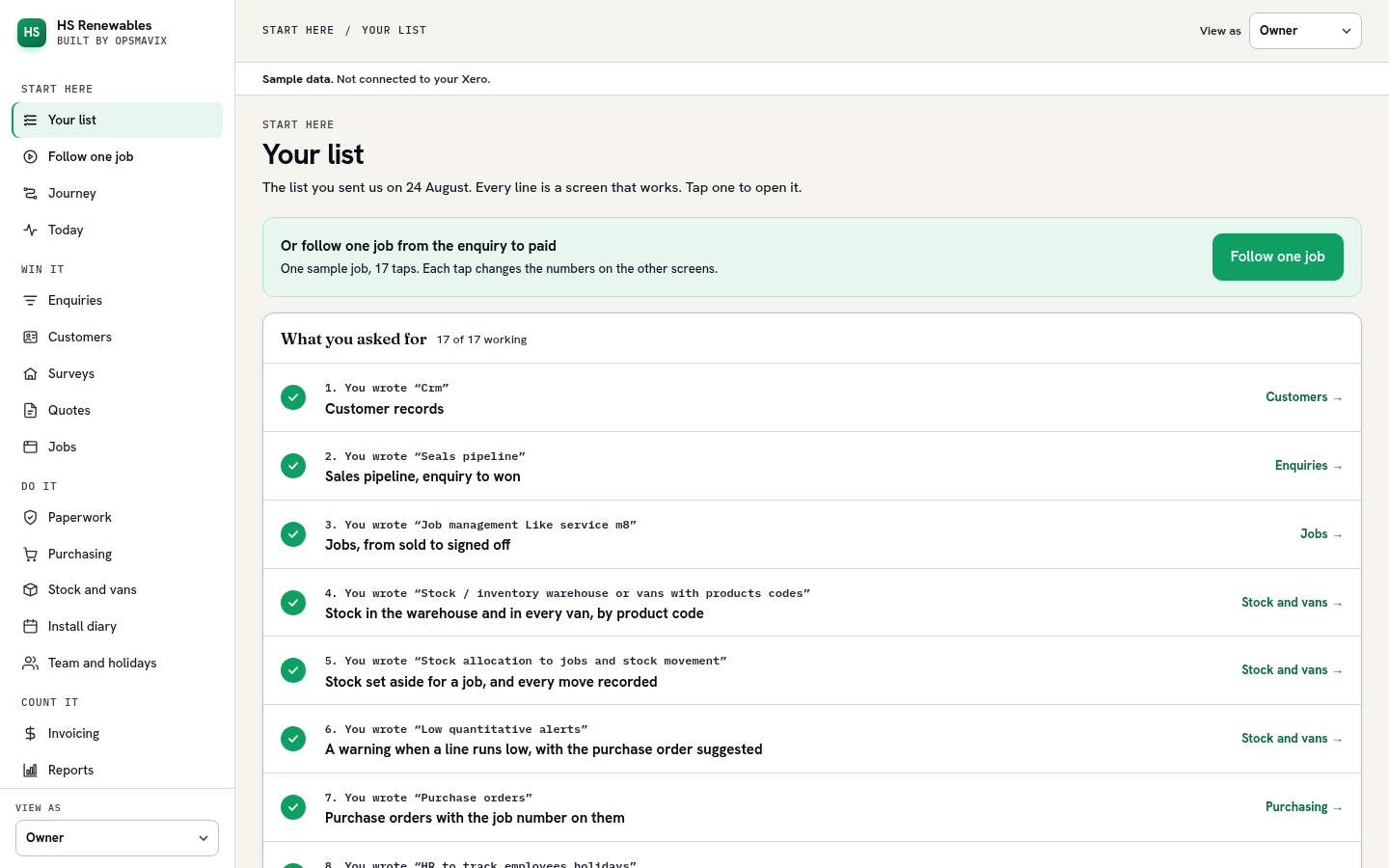
Sent on 24 August, in your words. 17 of 17 working, each on its own screen.
| You wrote | Screen | |
|---|---|---|
| 1. “Crm”Customer records | Customers | |
| 2. “Seals pipeline”Sales pipeline, enquiry to won | Enquiries | |
| 3. “Job management Like service m8”Jobs, from sold to signed off | Jobs | |
| 4. “Stock / inventory warehouse or vans with products codes”Stock in the warehouse and in every van, by product code | Stock and vans | |
| 5. “Stock allocation to jobs and stock movement”Stock set aside for a job, and every move recorded | Stock and vans | |
| 6. “Low quantitative alerts”A warning when a line runs low, with the purchase order suggested | Stock and vans | |
| 7. “Purchase orders”Purchase orders with the job number on them | Purchasing | |
| 8. “HR to track employees holidays”Staff holidays, beside the install diary | Team and holidays | |
| 9. “Database with all job details and pictures”Every job’s details and photos on one page | A job | |
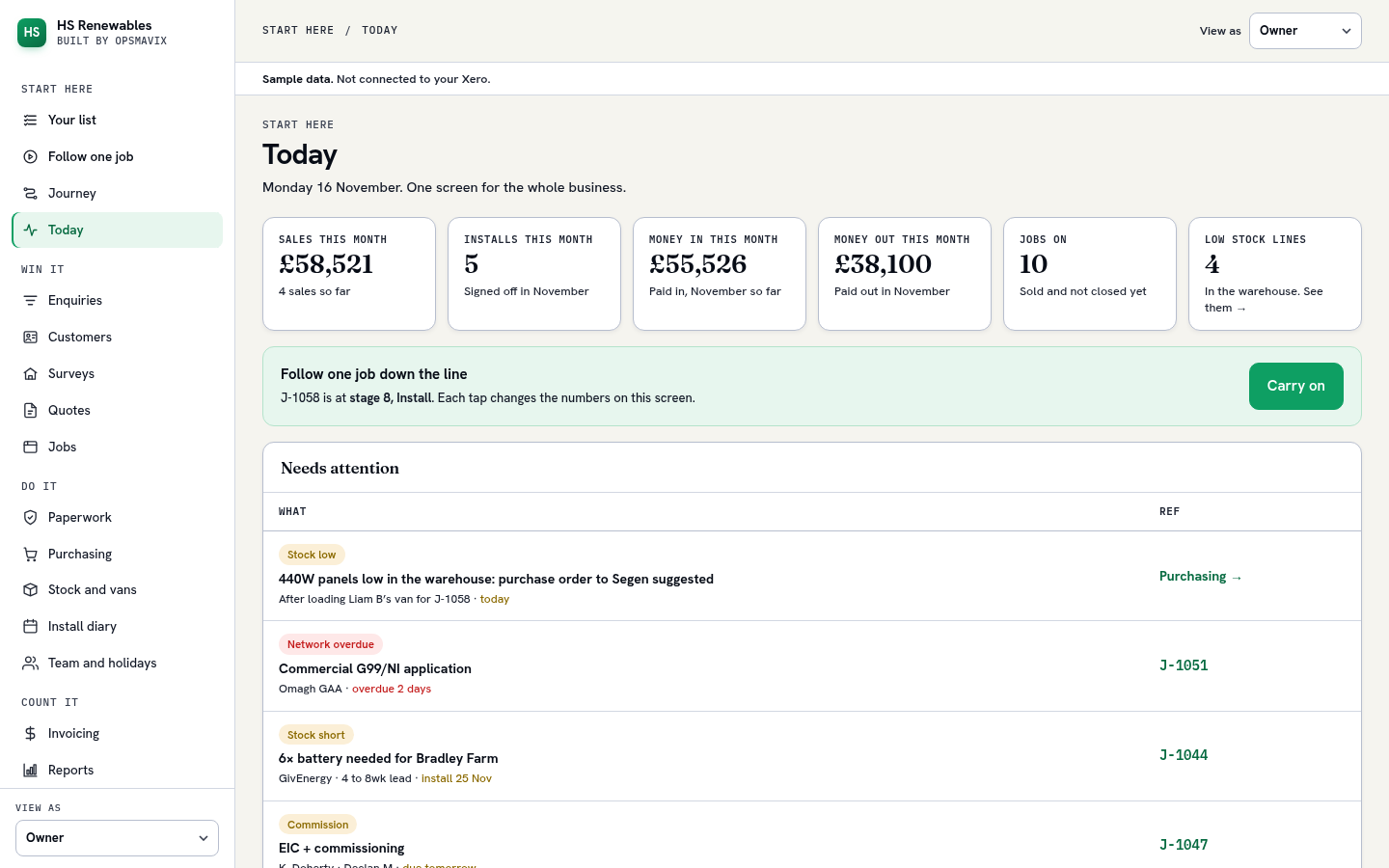
| 10. “Full system dashboard”One screen for the whole business | Today | |
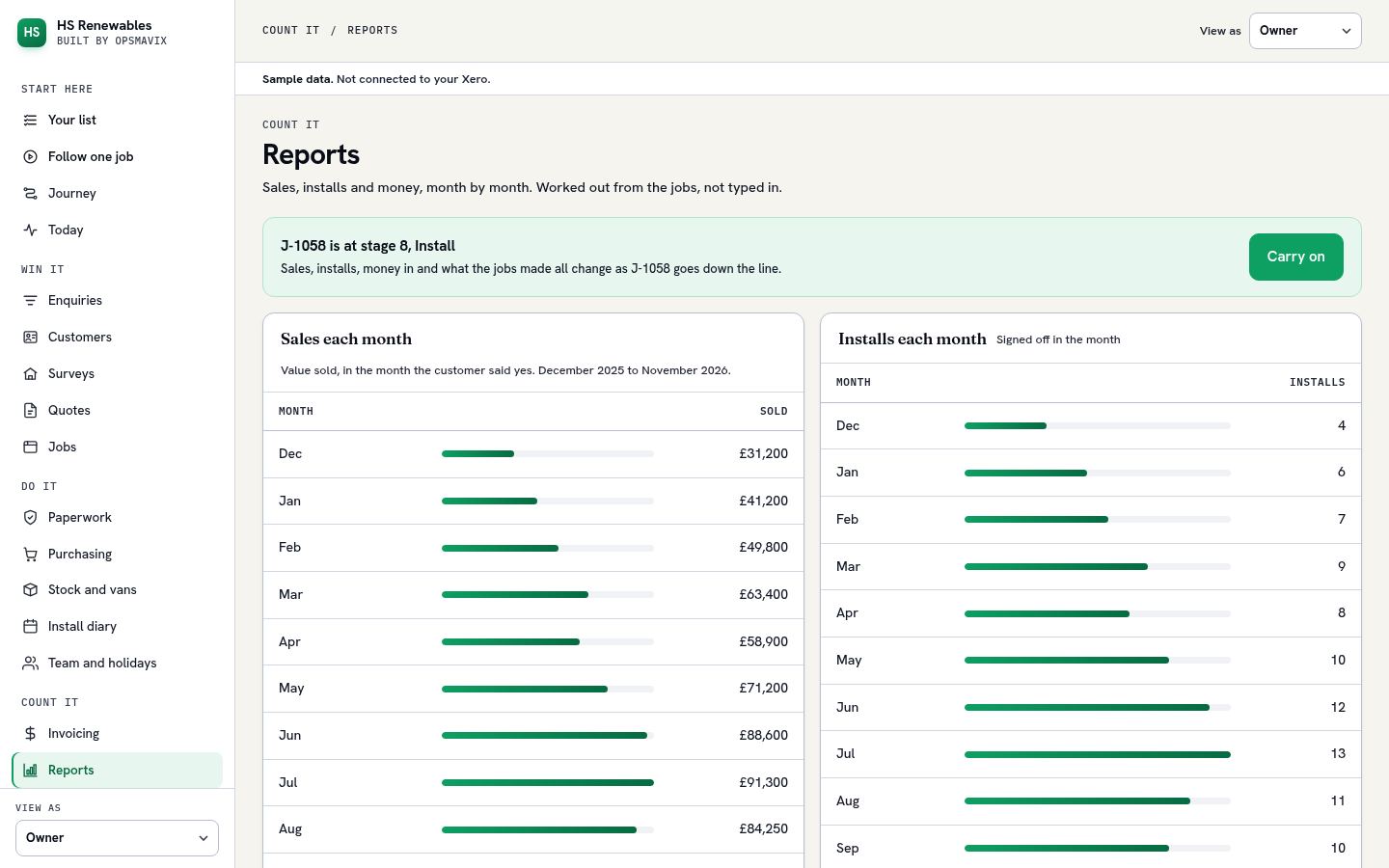
| 11. “Cash flow in and out”Money in and money out, month by month | Reports | |
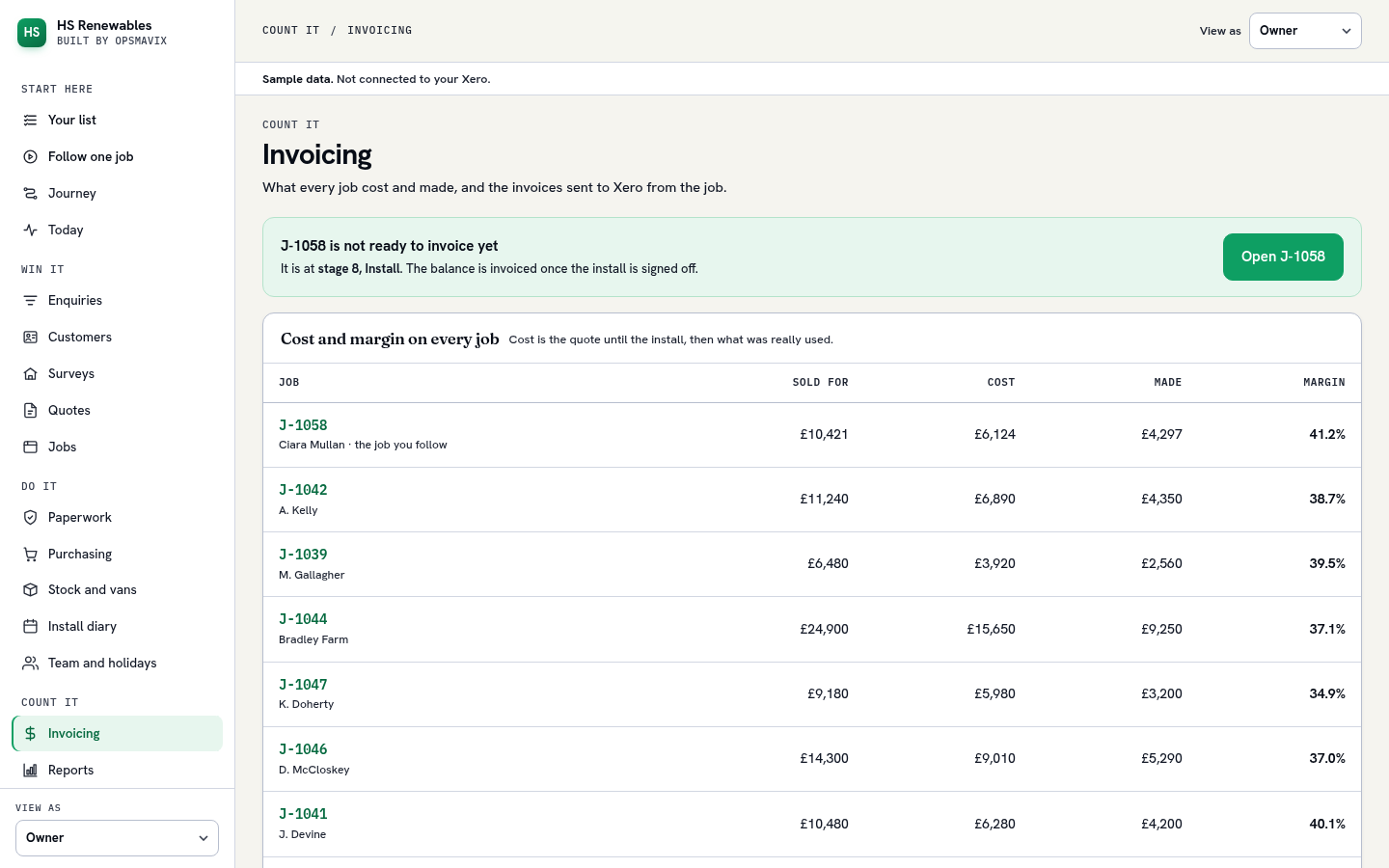
| 12. “Job costing and profit mergin”Cost and margin on every job | Invoicing | |
| 13. “Sales each month and who did the sales”Sales by month and by salesperson | Reports | |
| 14. “Installs each month”Installs per month | Reports | |
| 15. “Sales in each department with in HS”Sales by department | Reports | |
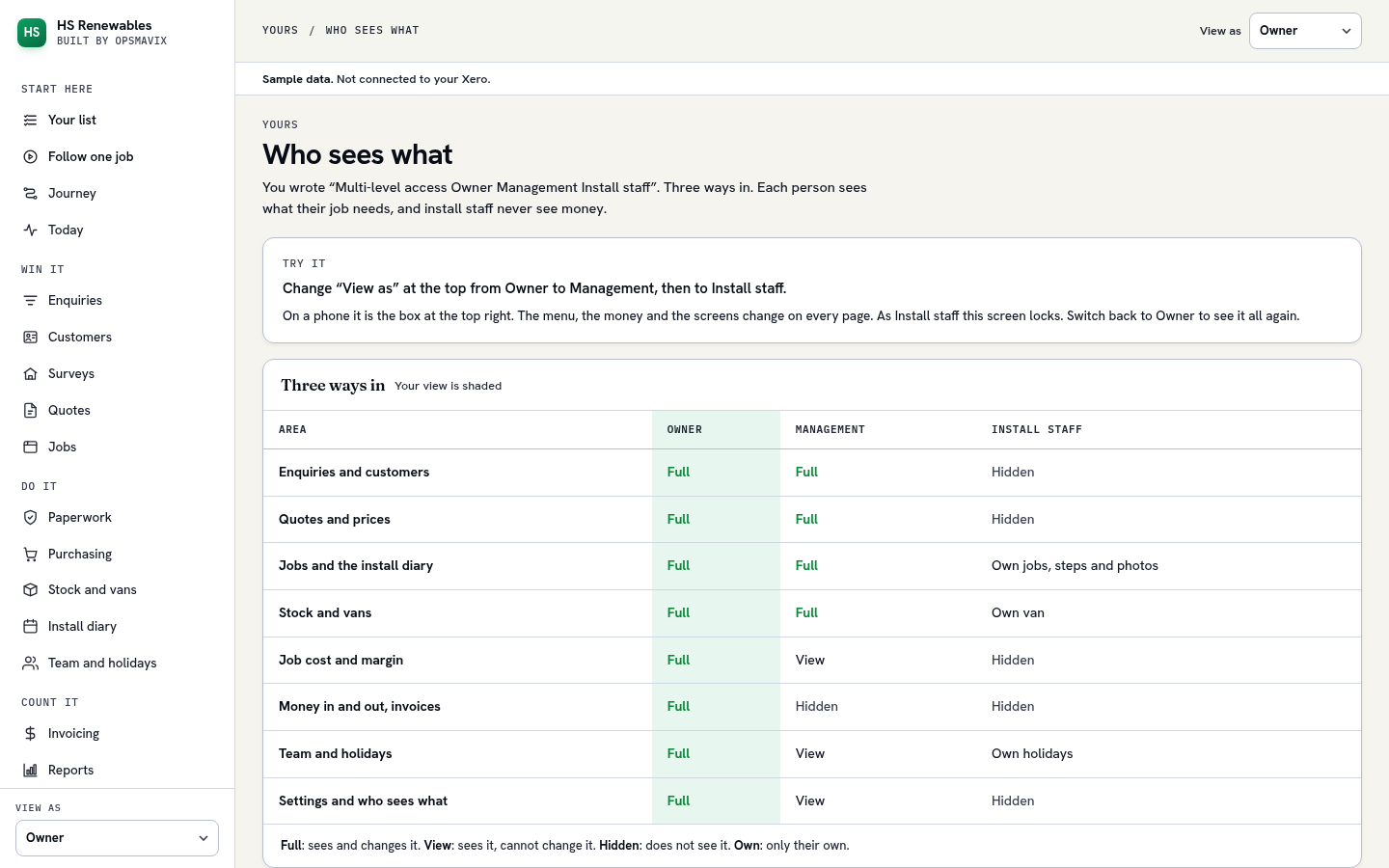
| 16. “Multi-level access Owner Management Install staff”Owner, Management and Install staff each see their own screens | Who sees what | |
| 17. “Integrate with zero”Invoices go to Xero. Nothing typed twice | Invoicing |
One job, start to finish
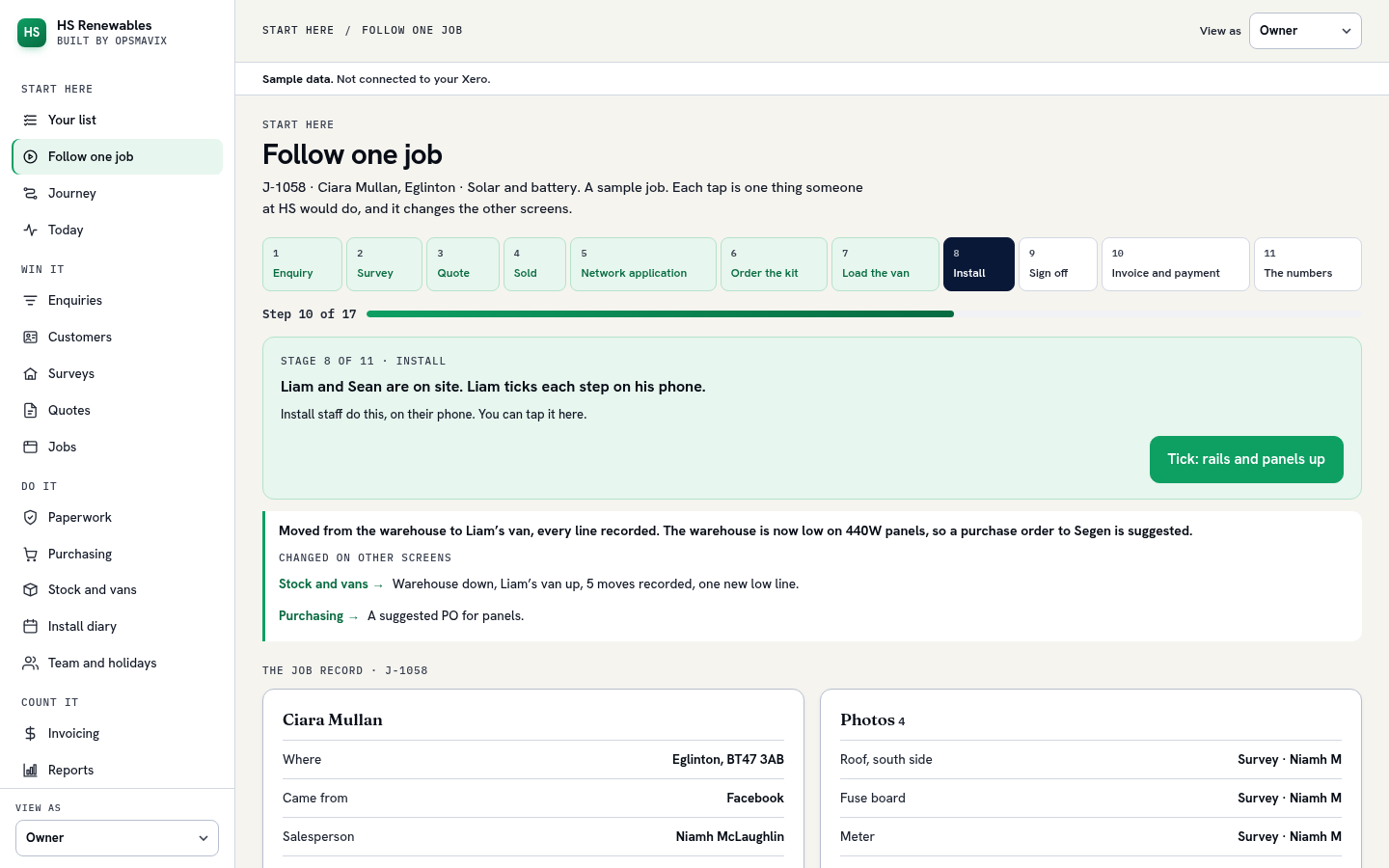
Sample job J-1058: Ciara Mullan, Eglinton, solar panels and a battery. Eleven stages in three chapters.
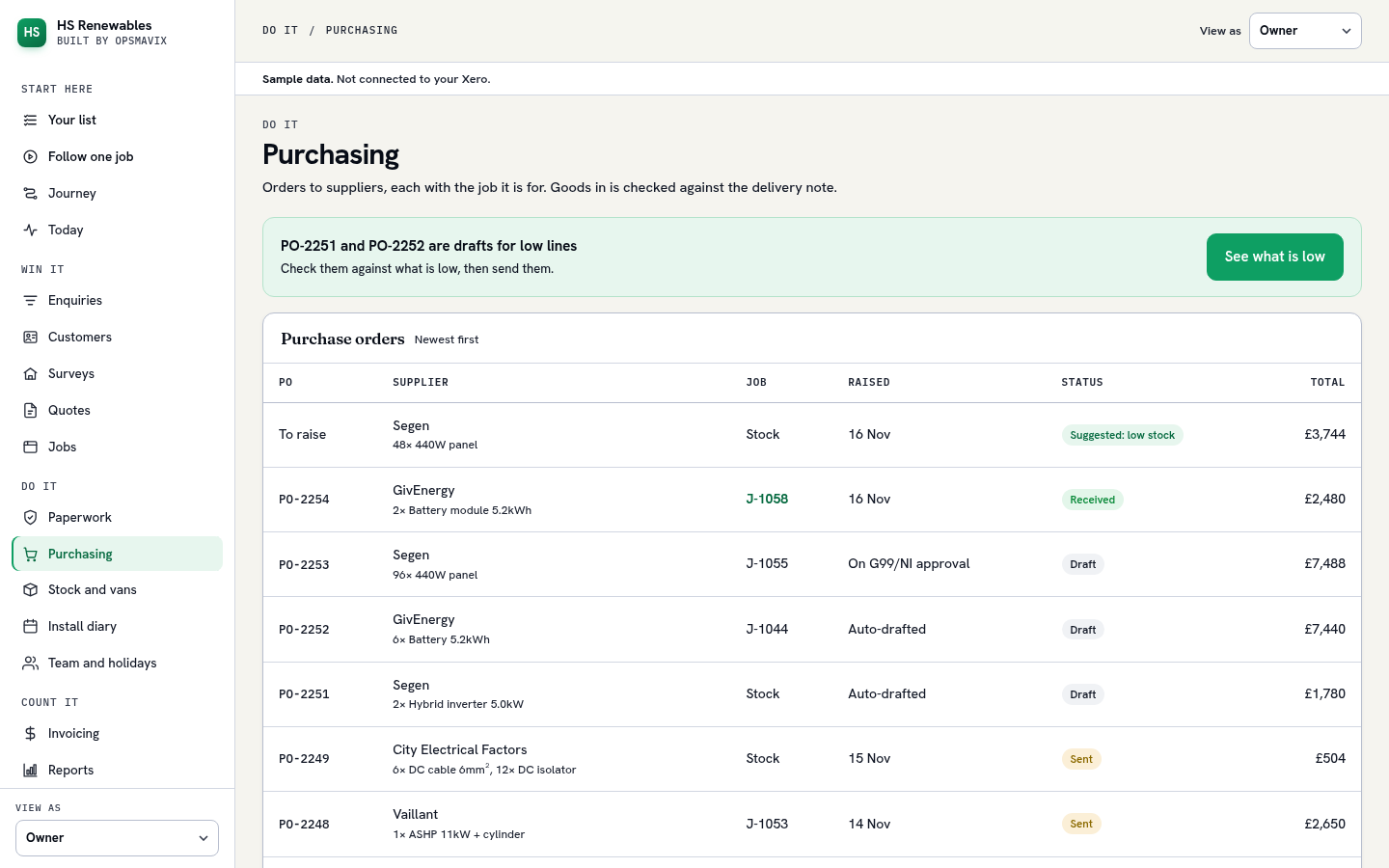
Stock in the warehouse and in the vans
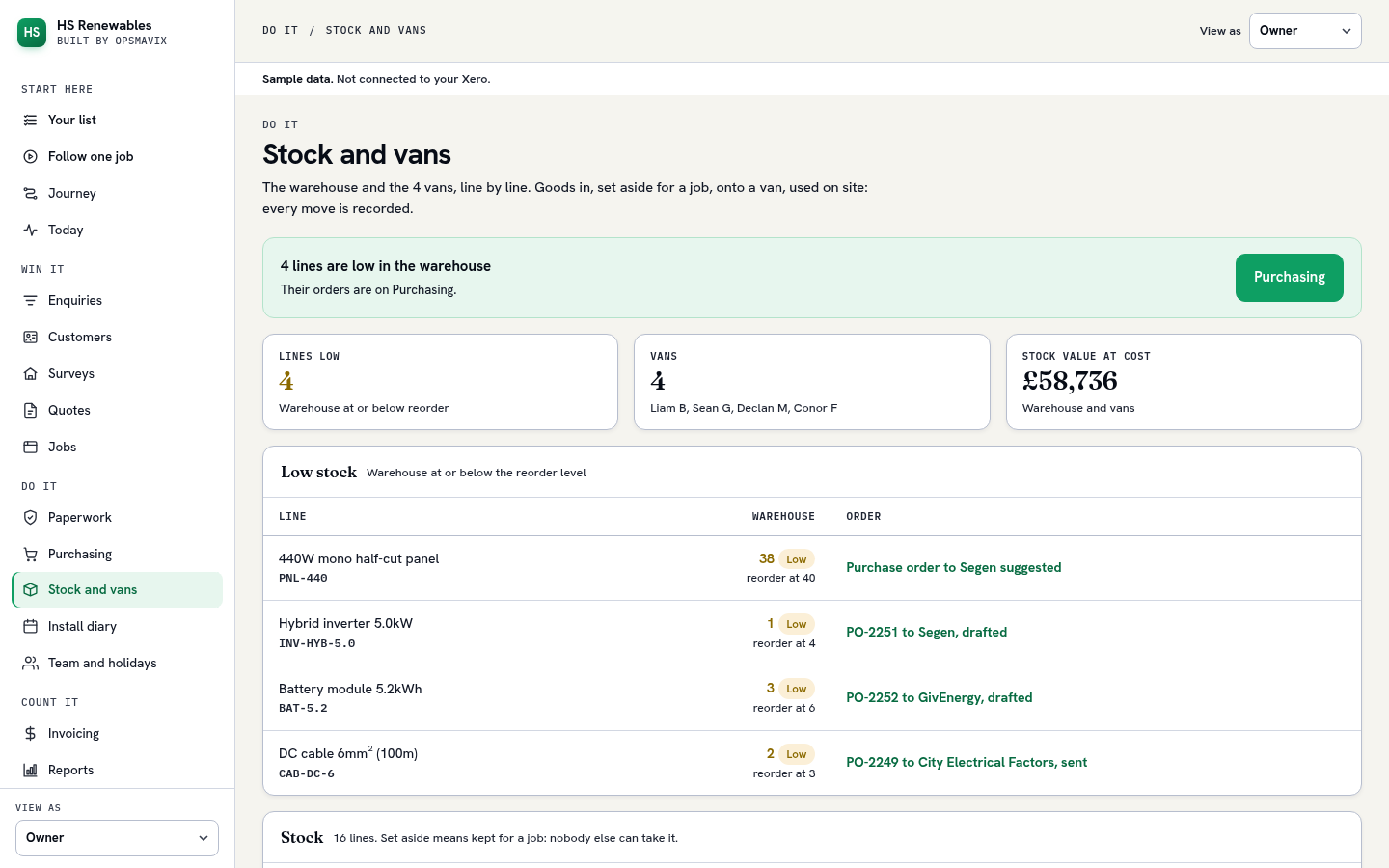
Your items 4, 5, 6 and 7.
- Ciaran D · PO-2254 to GivEnergy for 2 batteries, with J-1058 on it. Panels, inverter and mounting come from stock.
- Martin G · 2 batteries checked in to the warehouse against the delivery note. PO-2254 is received.
- Martin G · 14 panels, 1 inverter, 2 batteries, 10 rails and 30 hooks set aside for this job. Nobody else can take them.
- Martin G · Moved from the warehouse to Liam’s van, every line recorded. The warehouse is now low on 440W panels, so a purchase order to Segen is suggested.
- Liam B · What was used came off Liam’s van and onto the job’s cost: the kit, plus 2 isolators and a generation meter.
What the job made, and who sees what
Your items 10 to 16. Sample job J-1058, once it was paid.
| Who | What they see |
|---|---|
| Owner | Everything, including money in and out, cash flow and profit. |
| Management | Every screen, with prices, costs and margins. Not money in and out, cash flow or profit. |
| Install staff | Their jobs for the day, their van and their steps. No money. |
Try it on any screen: “View as” at the top.
No back doors
You own the system. All of it, from day one.
| What | Yours |
|---|---|
| The code | Yours from day one, every change kept, so another developer can pick it up. |
| The data | Your database. Export everything to a spreadsheet any day, no asking. |
| The hosting account | In your name. We have a login you can switch off. |
| The documentation | Written instructions for the office and for the next developer. |
| Who can get in | You control who has access. Access is by named accounts with role-based permissions inside the system. |
| If we are not around | The system keeps running. Nothing expires. The system does not phone home and has no licence key. |
A business that bought one
Metal fabrication · Lancashire, England · About 20 staff, three workshops and an office
Jobs moved around the shop on paper travellers, with whiteboards for the schedule. That works until the owner is the only person who can answer “where is that job”, and it stops working entirely across three separate workshops.
They run Xero and are keeping it. The job was to integrate with it, never to replace it.
They bought it. Built and demonstrated to the owner and his shop-floor lead, then signed as a paying client in September 2026 and rolled out in stages. No before-and-after numbers yet: those need a baseline measured before go-live and their consent to publish.